


Infinite Painter
4.510.56K Reviews
App Specs
- Version
- 7.2.9
- Updated On
- License
- Free
- Downloads
- 10,000,000+
- Developer
- Infinite Studio LLC
- Categories
- Art & Design
- Platform
- Android, iOS
Screenshots
 Analysis by AppCompare
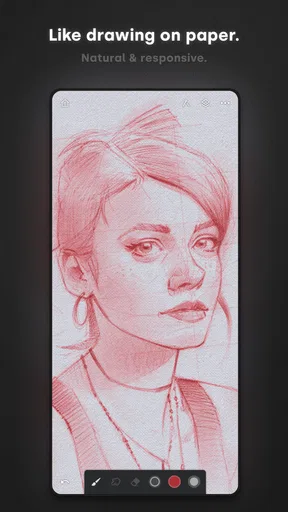
Ever find yourself scribbling on napkins, yearning for a digital canvas that can match your creativity? Well, let me introduce you to Infinite Painter. This app is like having a portable art studio in your pocket, and trust me, it’s a game-changer for artists on the go.
Get Ready to Unleash Your Creativity
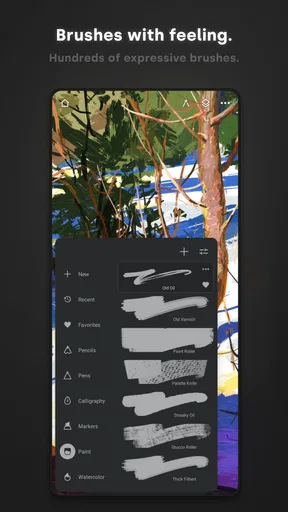
The first thing that struck me about Infinite Painter is its intuitive interface. As soon as you open it, you’re greeted with a clean workspace that immediately invites you to start creating. The app boasts over 160 brushes, and if you’re feeling a bit adventurous, you can even create your own. It’s like having a massive toolbox where you can find just the right tool for your masterpiece.
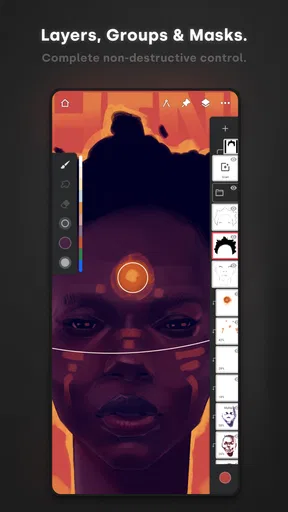
One thing I absolutely love is the ability to customize brushes and tools. Imagine having full control over brush settings like flow, texture, and blending options. It feels almost like real-life painting, but without the mess. Plus, the app supports layers, so you can easily experiment without the fear of ruining your work. Layers have saved my artistic bacon more times than I can count!
High-End Features on the Go
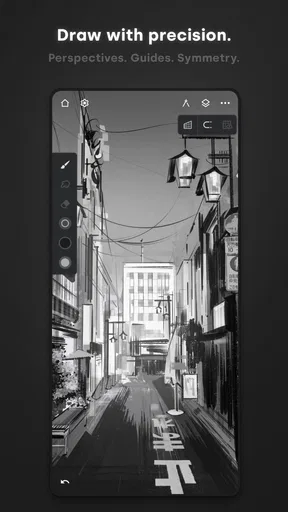
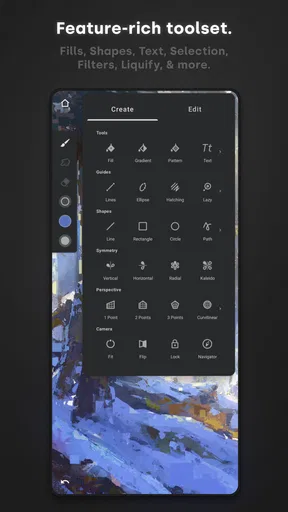
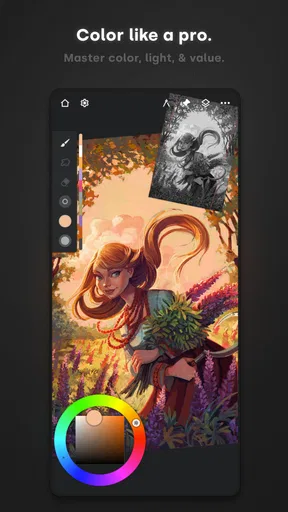
Now, let’s talk about features. The color wheel and blending modes are top-notch, offering a wide range of options to get just the right shade or effect. And for those who love to add a bit of flair, the symmetry tools are a fantastic way to create balanced and mesmerizing designs.
Another cool feature is the perspective guides. If you’ve ever struggled with getting the angles right, these guides are a lifesaver. They make it so much easier to draw landscapes or architectural designs. It’s like having a virtual ruler that never fails you.
Sharing and Saving Your Masterpieces
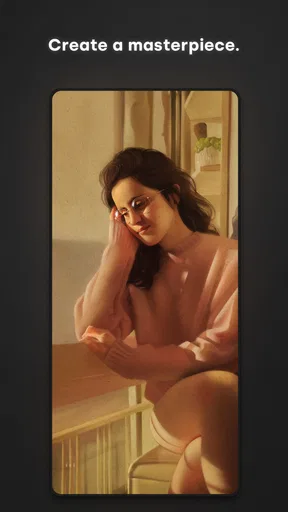
Once you’ve finished your work, sharing it is a breeze. The app allows you to export in multiple formats, so whether you’re posting on social media or printing out your art, Infinite Painter has got you covered. The export quality is impressive, maintaining high resolution and vibrant colors.
One small tip: make sure you’ve got enough storage space on your device. With all these options and high-quality exports, the files can get pretty hefty. But hey, that’s a small price to pay for keeping your art in its best form.
Worth Reading Before You Choose

Flipboard Shows What News Apps Must Do Beyond the Feed

Switching to Android Auto Means Rethinking Your Driving Routine

Google Calendar Makes a Crowded Week Easier to Manage

Ludo King Makes the Most of the Minutes Between Plans

Baby Panda World Brings Quick Play to Modern Phones, but Its Game Library Feels Busy

ESPN’s Live Game View Makes Following Close Games Easier
In conclusion, Infinite Painter is a must-have for any artist looking to take their creativity to the next level. It’s packed with features while remaining user-friendly, making it perfect for both beginners and seasoned artists. So go ahead, give it a whirl, and see where your creativity takes you!
Pros
- Intuitive user interface for all skill levels.
- Wide range of customizable brushes.
- High-quality output with smooth rendering.
- Layer support with blending modes.
- Regular updates and improvements.
Cons
- Limited free version features.
- Can be resource-intensive on older devices.
- Occasional lag on large canvases.
- No vector graphic support.
- Requires in-app purchases for full access.
FAQs for Infinite Painter
What features does Infinite Painter offer to digital artists?
Infinite Painter provides a comprehensive suite of tools for digital artists, including over 160 natural brush presets, the ability to create custom brushes, and advanced layering options. Users can also enjoy innovative features like perspective guides, selection tools, and seamless pattern creation, making it a versatile tool for both beginners and professionals.
Is Infinite Painter suitable for beginners in digital art?
Yes, Infinite Painter is designed to cater to both beginners and experienced artists. Its intuitive interface and extensive tutorials make it accessible for newcomers. Meanwhile, advanced features and customizable options provide seasoned artists with the tools they need to create complex artwork, ensuring a smooth learning curve for all users.
Can Infinite Painter be used on both Android and iOS devices?
Infinite Painter is available on both Android and iOS platforms, making it accessible to a wide range of users. The app is optimized for various devices, ensuring smooth performance and a consistent user experience across different operating systems, whether you’re using a smartphone or a tablet.
Does Infinite Painter require an internet connection to use?
No, Infinite Painter does not require an internet connection for its primary functionalities. Users can create and edit their artwork offline. However, to access certain features such as cloud storage or updates, an internet connection may be necessary. This allows for flexibility in where and how you work.
What are the pros and cons of using Infinite Painter?
Pros of Infinite Painter include its extensive brush library, user-friendly interface, and robust toolset for both beginners and professionals. It supports high-resolution canvases and offers seamless pattern creation. However, some users may find the app's advanced features overwhelming initially, and there might be occasional performance issues on lower-end devices.


